Showing posts with label Gmail. Show all posts

2009-05-15

Image

Create and Change your own Gmail Theme


Recently Google Introduces themes for Gmail, and if you are bored with those themes. So now you can create your own Custom theme for you Gmail Box easily. You can now make Gmail as ugly or pretty as you want – by choosing your own colors. Go to Gmail -> Settings -> Themes, and click “Choose your own colors”. This opens a window where you can configure a template with instant preview. Hit Save & Close, and Gmail will appear in your custom colors.

Your colors are saved when you finish editing the theme and the changes are added to Gmail after you press “Save”. If you don’t like your theme, you can always choose one of the 31 pre-defined thems or click on “Reset” to go back to the default theme. And you still want to customize Gmail than you have to try Change the Look of Gmail with Firefox Addon
Image

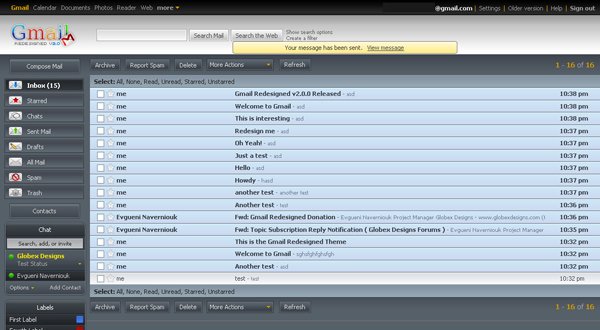
Change the Layout of Gmail with Firefox Addon

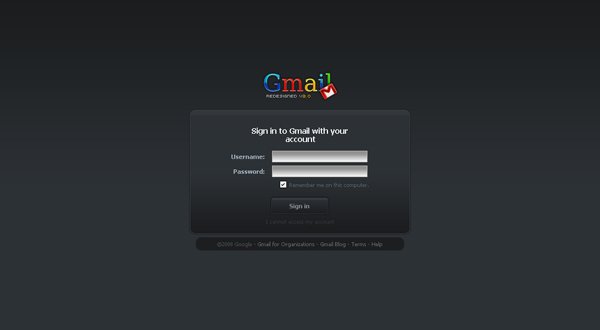
If you are bored from the skin of GMAIL and Want to change it, than you have to try the Firefox Addon Google Redesigned. Google Redesigned is a Mozilla Firefox extension designed by Globex Designs that aims to fully redesign the look and feel of popular Google services. This is achieved with Cascading StyleSheet (CSS) files which are loaded on the client’s browser.
 
 
Google Redesigned is built for Mozilla based browsers (Firefox, Flock, IceWeasel, and such). Users using other browsers will not be to install the extension. Firefox 3 and Flock 2 are highly recommended as certain styles will not work correctly on older versions of the Gecko engine. As well the Firefox 3 engine provides much faster performance for handling these styles.
Download FireFox Addon Gmail Redesigned


Total Pageviews